Skip to content
electropaint

Ideas

24 designs, all of them code

In the app, one tap paints a design onto a new layer and Edit code opens its script in the Code panel. Here is every one, painted by the same engine, with the script underneath.

Brushstrokes · eight

One brush, one path: the dynamic parameters doing all the work.

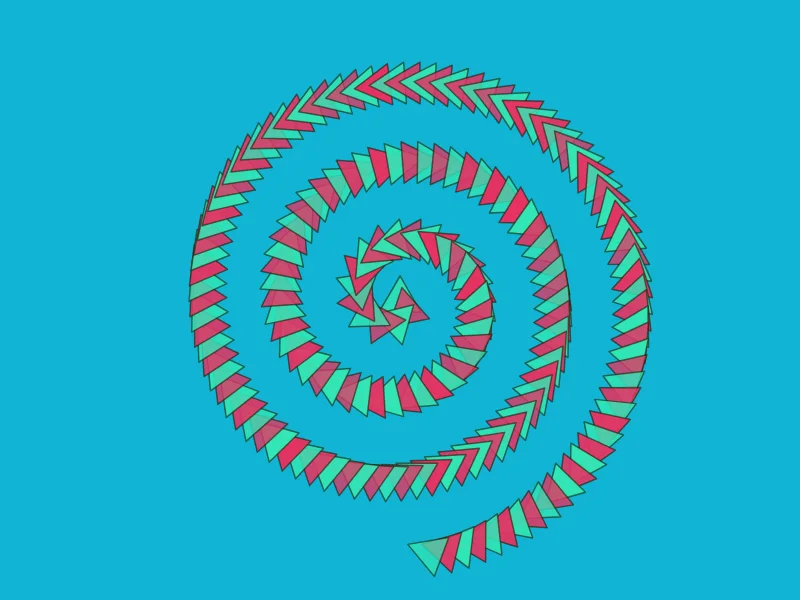
The Spiral of arrows example

Spiral of arrows

Triangles riding an Archimedean spiral, the angle swinging with sin(i/n).

The script
background('#11b4d4')
const colors = rng.colors(2)
const brush = new Brush({
  shape: 'polygon', sides: 3,
  radius: size * 0.08, density: 1.6,
  angle: { expr: 'PI / 2 * sin(TAU * t)' },
  fill: { color: { cycle: colors }, alpha: { min: 0.75, max: 1 } },
  stroke: { color: '#1a1a00', width: 1.5, alpha: 0.6 },
}, seed)
brush.paint(ctx, path.spiral(center, size * 0.85, rng.real(2, 4), brush.spacing()))
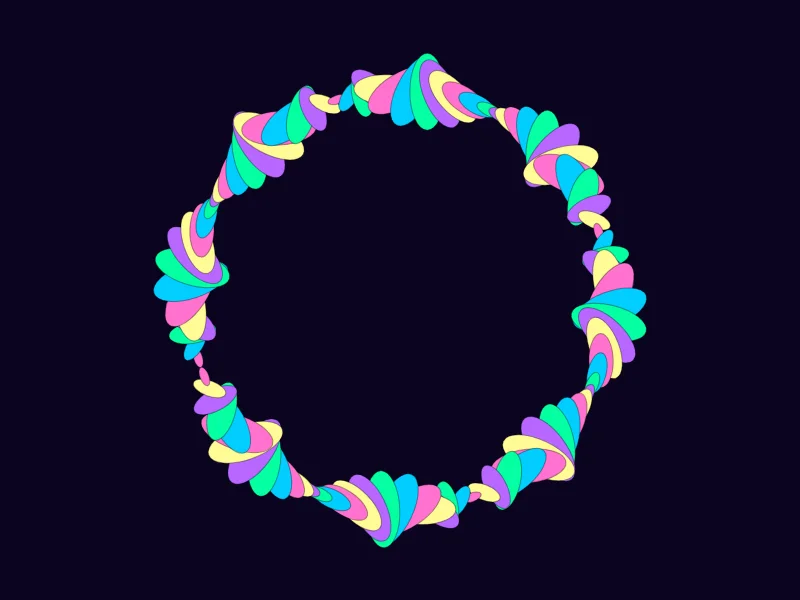
The Ring of ellipses example

Ring of ellipses

A ring whose ellipses breathe in scale and twist in angle as they go round.

The script
background('#0b0420')
const colors = palette('vapor')
const brush = new Brush({
  shape: 'ellipse', radius: size * 0.13, density: 3,
  eccentricity: { x: 1, y: 0.45 },
  angle: { expr: 'TAU * sin(4 * PI * t)' },
  scale: { expr: '0.25 + 0.75 * abs(sin(8 * PI * t))' },
  fill: { color: { cycle: colors } },
  stroke: { color: '#000', width: 1, alpha: 0.35 },
}, seed)
brush.paint(ctx, path.ring(center, size * 0.7, brush.spacing(), rng.radians()))
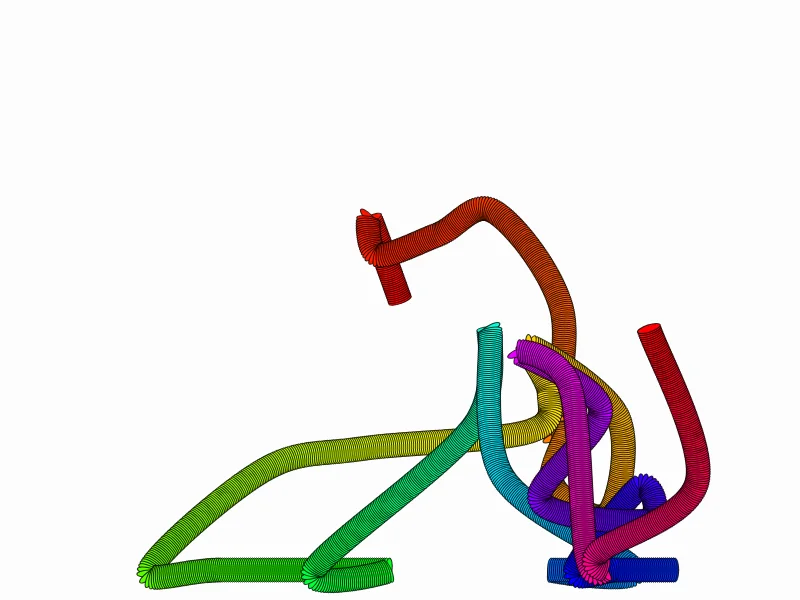
The Tube letters example

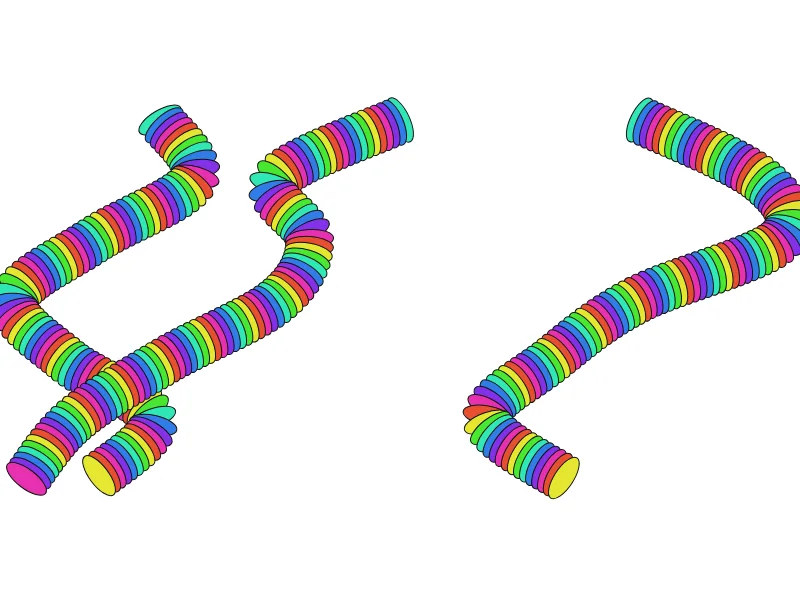
Tube letters

The "LSD" look: hundreds of outlined discs stacked along a spline until they read as tubes.

The script
background('#ffffff')
const colors = rng.colors(7)
const brush = new Brush({
  shape: 'ellipse', radius: size * 0.08, density: 3.5,
  eccentricity: { x: 0.4, y: 1 },
  fill: { color: { cycle: colors } },
  stroke: { color: '#111', width: 1 },
}, seed)
// a few loose loops across the canvas
for (let k = 0; k < 3; k++) {
  const pts = []
  let x = w * (0.2 + 0.3 * k), y = h * 0.2
  for (let s = 0; s < 7; s++) {
    pts.push({ x, y })
    x += rng.real(-0.18, 0.18) * w
    y += h * 0.1
  }
  brush.paint(ctx, path.spline(pts, brush.spacing()))
}
The Point array example

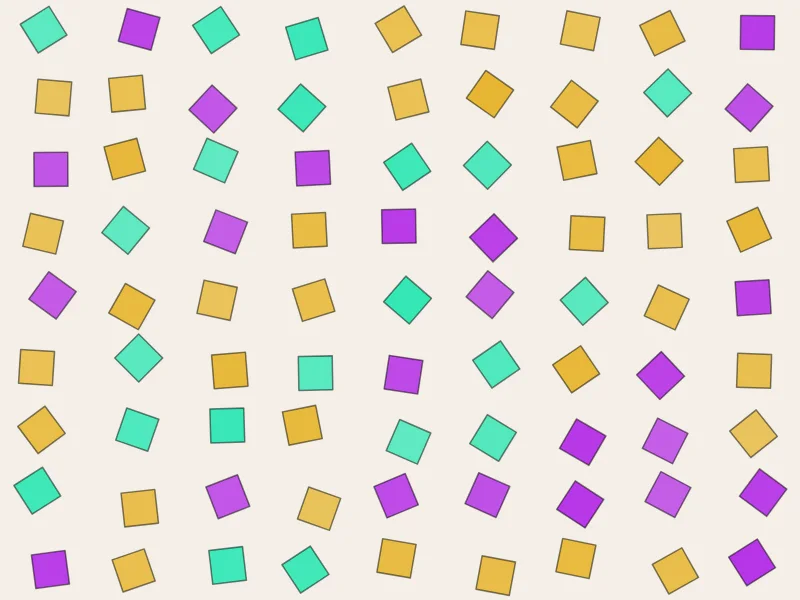
Point array

A grid of jittered squares, each one rotated at random.

The script
background('#f4efe6')
const colors = rng.colors(3)
const brush = new Brush({
  shape: 'square', radius: size * 0.08, density: 1,
  follow: false,
  angle: { min: 0, max: TAU },
  scatter: { x: 0.4, y: 0.4 },
  fill: { color: colors, alpha: { min: 0.75, max: 1 } },
  stroke: { color: '#000', width: 1.5, alpha: 0.5 },
}, seed)
brush.paint(ctx, path.grid(0, 0, w, h, 9, 9))
The Bézier ribbons example

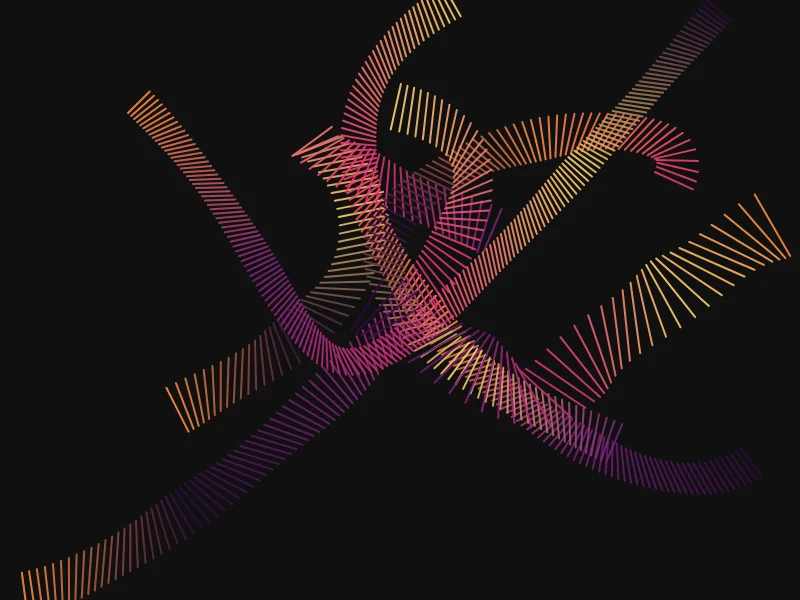
Bézier ribbons

Lines stamped crosswise along random cubic curves make flat, twisting ribbons.

The script
background('#101010')
const pal = palette('sunset')
for (let k = 0; k < 6; k++) {
  const brush = new Brush({
    shape: 'line', radius: size * rng.real(0.05, 0.12), density: 3,
    angle: { expr: 'PI / 2 + sin(TAU * t * 2) * 0.6' },
    fill: null,
    stroke: { color: { gradient: rng.shuffle(pal) }, width: 2, alpha: 0.9 },
  }, seed + k)
  const p = () => ({ x: rng.real(0, w), y: rng.real(0, h) })
  brush.paint(ctx, path.bezier(p(), p(), p(), p(), brush.spacing()))
}
The Quadratic fans example

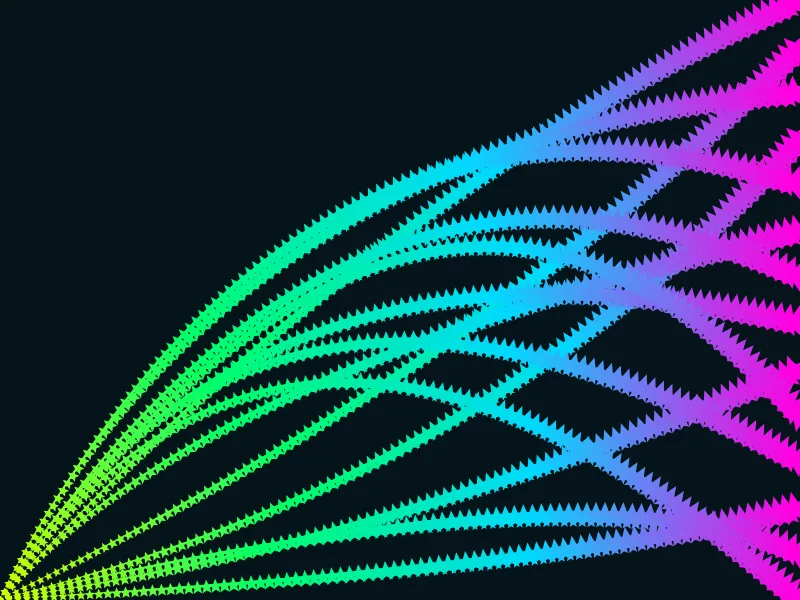
Quadratic fans

Fans of quadratic curves from one corner, every stamp a little star.

The script
background('#06141b')
const brush = new Brush({
  shape: 'star', sides: 5, radius: size * 0.045, density: 1.5,
  scale: { expr: '0.3 + t' },
  fill: { color: { gradient: palette('acid') } },
  stroke: null,
}, seed)
for (let k = 0; k < 14; k++) {
  const end = { x: w, y: (h * k) / 13 }
  const ctrl = { x: rng.real(0.2, 0.8) * w, y: rng.real(0, h) }
  brush.paint(ctx, path.quadratic({ x: 0, y: h }, ctrl, end, brush.spacing()))
}
The Glyph river example

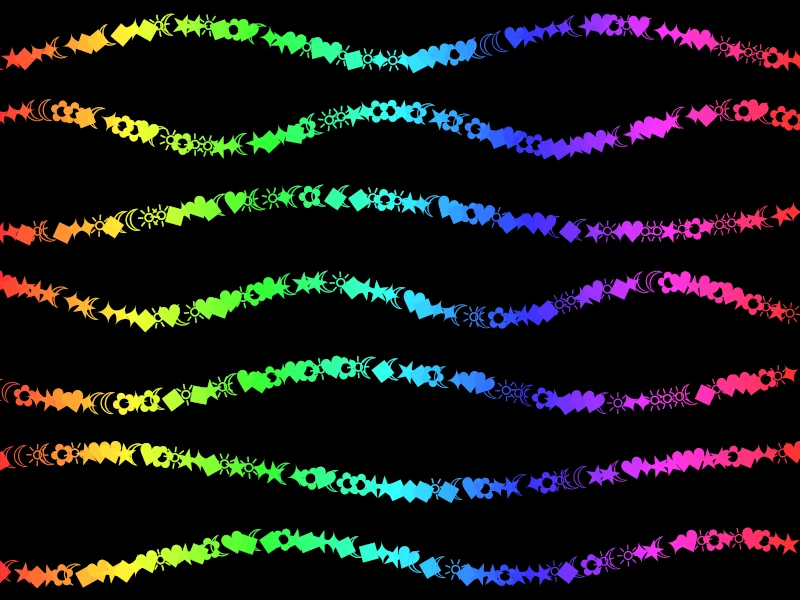
Glyph river

Glyph brushes: characters flowing along sine waves, colored by position.

The script
background('#000')
const brush = new Brush({
  shape: 'glyph', radius: size * 0.05, density: 1.2,
  text: ['✦', '★', '☾', '✿', '♥', '◆', '☼'],
  angle: { min: -0.4, max: 0.4 },
  fill: { color: { expr: 'hsl(360 * t + 40 * j, 1, 0.6)' } },
  stroke: null,
}, seed)
for (let row = 0; row < 7; row++) {
  const y = h * (row + 0.5) / 7
  brush.paint(ctx, path.wave({ x: 0, y }, { x: w, y }, size * 0.06, rng.real(1, 3), brush.spacing(), rng.radians()))
}
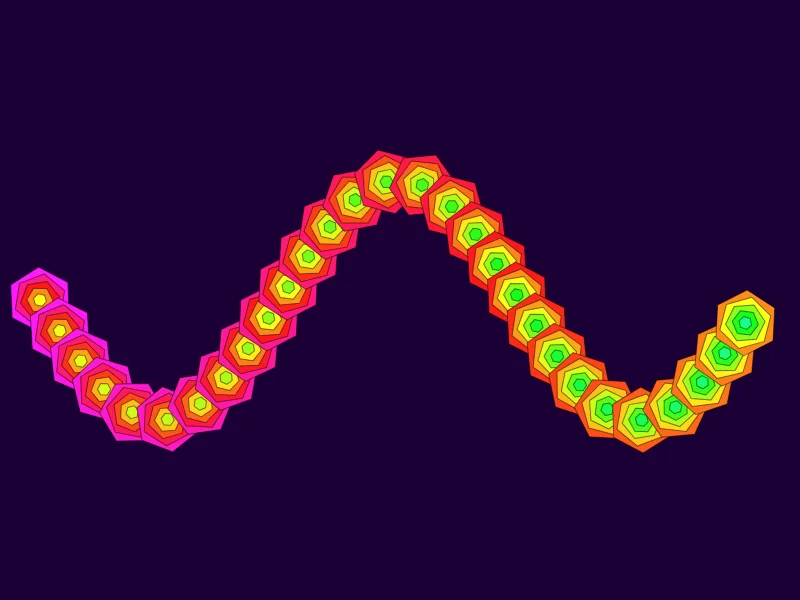
The Time steps example

Time steps

Steps > 1 draws each point several times — here each step shrinks and shifts hue, nesting shapes.

The script
background('#1b0036')
const brush = new Brush({
  shape: 'polygon', sides: 6, radius: size * 0.11, density: 0.9, steps: 5,
  scale: { expr: '1 - j / m' },
  angle: { expr: 'j * 0.2' },
  fill: { color: { expr: 'hsl(300 + 30 * j + 90 * t, 1, 0.55)' } },
  stroke: { color: '#000', width: 1, alpha: 0.5 },
}, seed)
brush.paint(ctx, path.wave({ x: w * 0.05, y: h / 2 }, { x: w * 0.95, y: h / 2 }, size * 0.4, 1.5, brush.spacing()))
Generative · ten

Patterns built from many strokes, noise and a seed. The 🎲 button repaints with a new one.

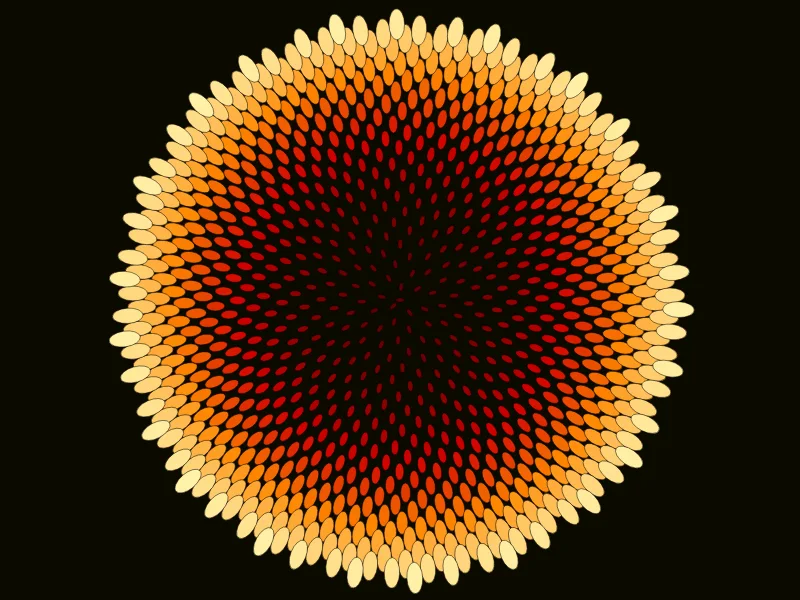
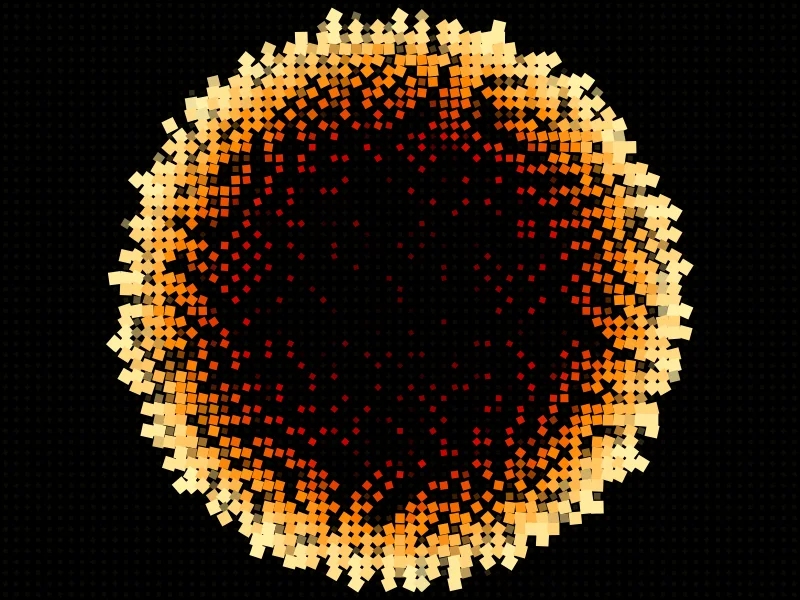
The Sunflower example

Sunflower

Phyllotaxis: each seed turned by the golden angle, colored by distance from the center.

The script
background('#0c0a00')
const n = 900
const brush = new Brush({
  shape: 'ellipse', radius: size * 0.022, density: 1,
  scale: { expr: '0.4 + 1.1 * t' },
  eccentricity: { x: 1.6, y: 0.8 },
  fill: { color: { gradient: palette('ember').slice(1) } },
  stroke: { color: '#000', width: 0.8, alpha: 0.6 },
}, seed)
brush.paint(ctx, path.phyllotaxis(center, n, size * 0.031))
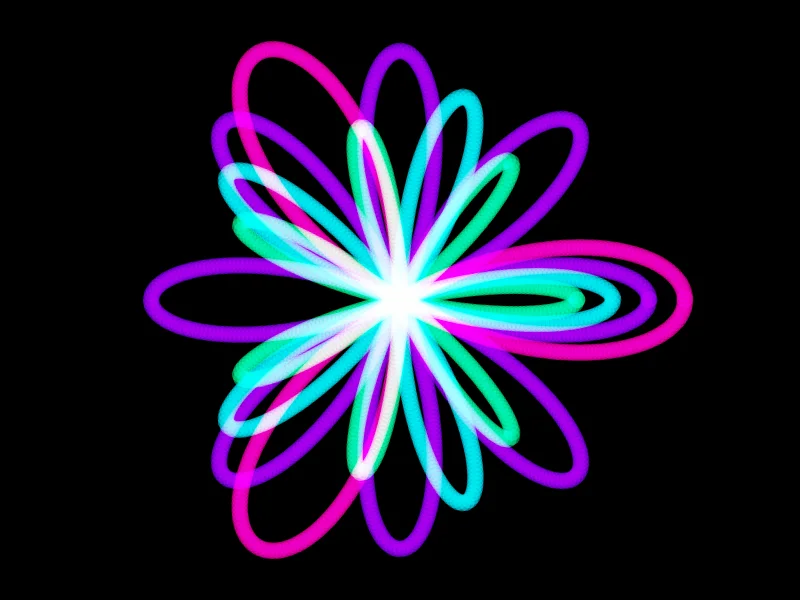
The Rose garden example

Rose garden

Rose curves r = cos(kθ) with different k, layered with screen blending.

The script
background('#000')
const pal = palette('electric')
;[3, 4, 5, 7].forEach((k, idx) => {
  const brush = new Brush({
    shape: 'ellipse', radius: size * 0.028, density: 2,
    fill: { color: pal[idx % pal.length], alpha: 0.5, blend: 'screen' },
    stroke: null,
  }, seed + idx)
  brush.paint(ctx, path.rose(center, size * (0.95 - idx * 0.12), k, brush.spacing()))
})
The Lissajous example

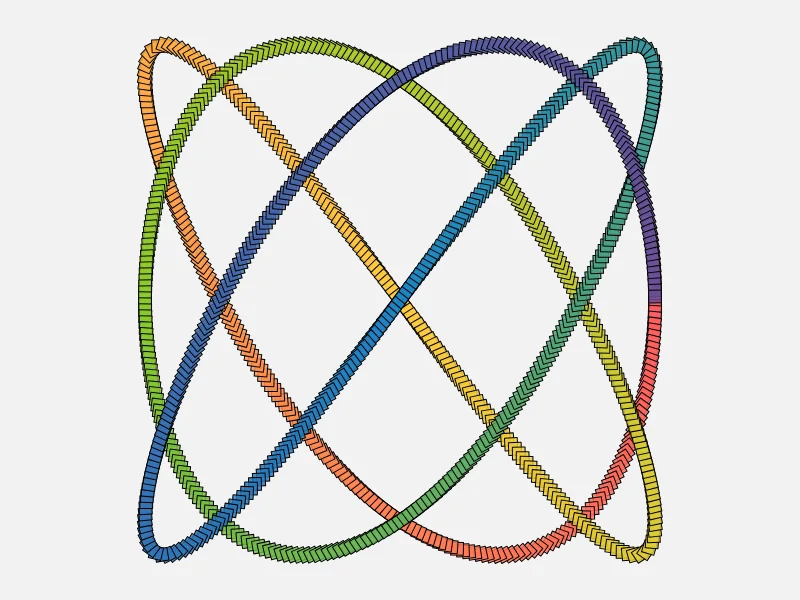
Lissajous

A Lissajous figure in squares that rotate with t and fade from the palette.

The script
background('#f2f2f2')
const a = rng.int(2, 5), b = a + rng.int(1, 3)
const brush = new Brush({
  shape: 'square', radius: size * 0.03, density: 1.5,
  angle: { expr: 'TAU * 3 * t' },
  fill: { color: { gradient: palette('candy') }, alpha: 0.85 },
  stroke: { color: '#000', width: 1 },
}, seed)
brush.paint(ctx, path.lissajous(center, size * 0.85, size * 0.85, a, b, brush.spacing()))
The Flow field example

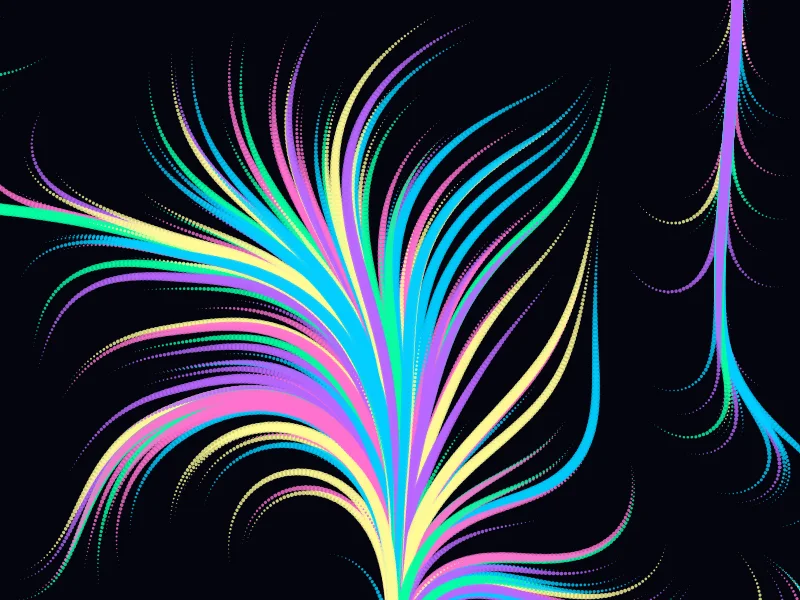
Flow field

Hundreds of particles follow a noise field, each trail a ribbon of ellipses.

The script
background('#05050f')
const pal = palette('vapor')
// lengths in units of a 320 px canvas, so a big canvas gets the same picture, not finer hair
const unit = size / 160
const scale = (0.004 + rng.real(0, 0.003)) / unit
const off = rng.real(0, 1000)
for (let k = 0; k < 260; k++) {
  let x = rng.real(0, w), y = rng.real(0, h)
  const pts = [{ x, y }]
  for (let s = 0; s < 60; s++) {
    const a = noise(x * scale + off, y * scale) * TAU * 2
    x += Math.cos(a) * 6 * unit
    y += Math.sin(a) * 6 * unit
    pts.push({ x, y })
  }
  const brush = new Brush({
    shape: 'ellipse', radius: 3.2 * unit, density: 1.5,
    scale: { expr: 'sin(PI * t)' },
    fill: { color: rng.pick(pal), alpha: 0.8 },
    stroke: null,
  }, seed + k)
  brush.paint(ctx, path.polyline(pts, brush.spacing()))
}
The Concentric example

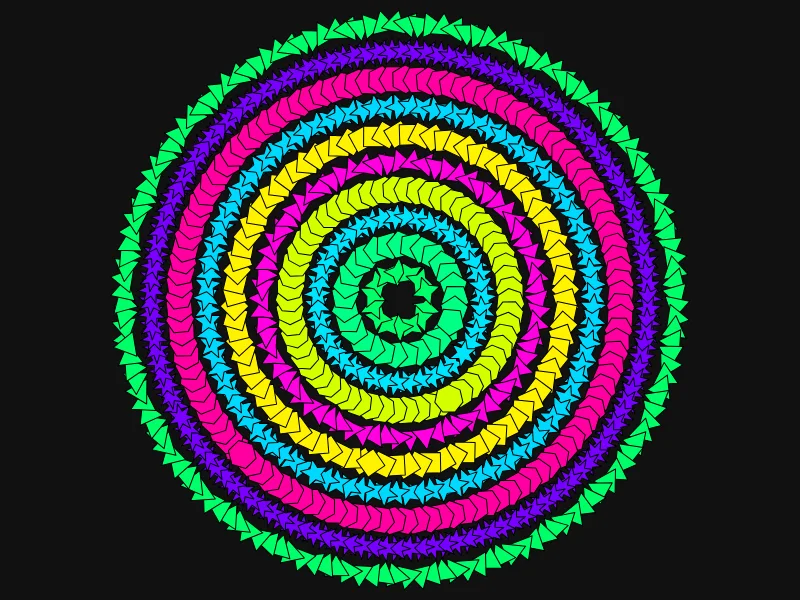
Concentric

Nested rings whose shapes and sizes step with the ring index.

The script
background('#111')
const pal = rng.shuffle(palette('acid').concat(palette('electric')))
for (let k = 1; k <= 10; k++) {
  const r = size * 0.92 * k / 10
  const brush = new Brush({
    shape: k % 2 ? 'star' : 'polygon', sides: 3 + (k % 5),
    radius: size * 0.048, density: 1.2,
    angle: { expr: 'TAU * t * ' + k },
    fill: { color: pal[k % pal.length] },
    stroke: { color: '#000', width: 1 },
  }, seed + k)
  brush.paint(ctx, path.ring(center, r, brush.spacing(), k * 0.3))
}
The Confetti example

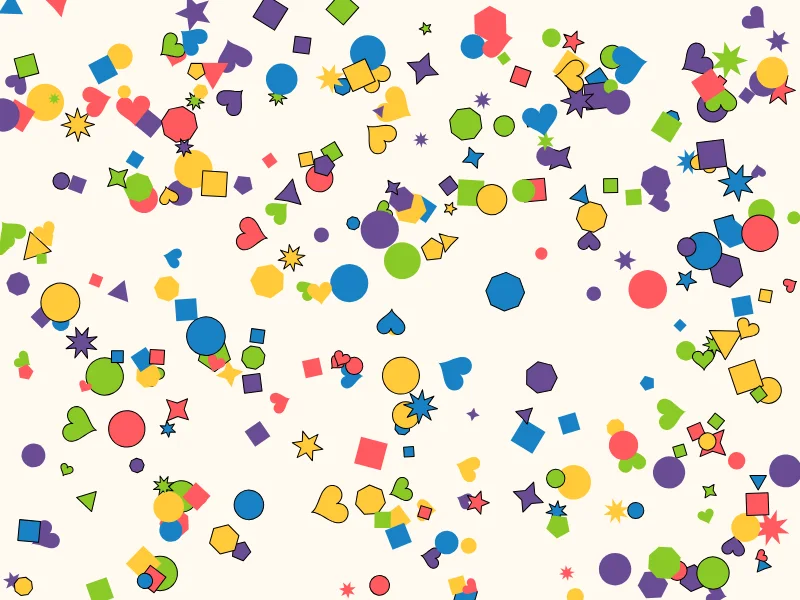
Confetti

Every shape in the toolbox, scattered: a test card for the brush engine.

The script
background('#fffaf0')
const shapes = ['ellipse', 'polygon', 'star', 'square', 'heart']
const pal = palette('candy')
for (let k = 0; k < 300; k++) {
  const brush = new Brush({
    shape: rng.pick(shapes), sides: rng.int(3, 8),
    radius: size * rng.real(0.02, 0.065), density: 1,
    angle: rng.radians(), follow: false,
    fill: { color: rng.pick(pal) },
    stroke: { color: '#000', width: 1, probability: 0.5 },
  }, seed + k)
  brush.stamp(ctx, { x: rng.real(0, w), y: rng.real(0, h), angle: 0 },
    { i: k, n: 300, j: 0, m: 1, t: k / 300, x: 0, y: 0, w, h, p: 0.5, rng })
}
The Hearts tunnel example

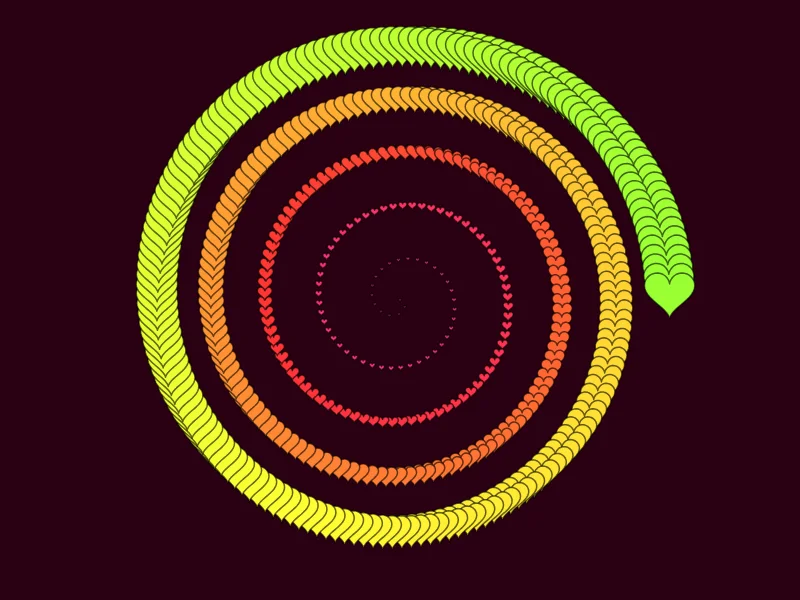
Hearts tunnel

A spiral of hearts shrinking toward the middle, hue walking around the wheel.

The script
background('#2a0012')
const brush = new Brush({
  shape: 'heart', radius: size * 0.08, density: 2.5,
  follow: false,
  scale: { expr: '0.05 + t' },
  fill: { color: { expr: 'hsl(330 + 120 * t, 1, 0.6)' } },
  stroke: { color: '#000', width: 1.5, alpha: 0.6 },
}, seed)
brush.paint(ctx, path.spiral(center, size * 0.9, 5, brush.spacing()))
The Wave stack example

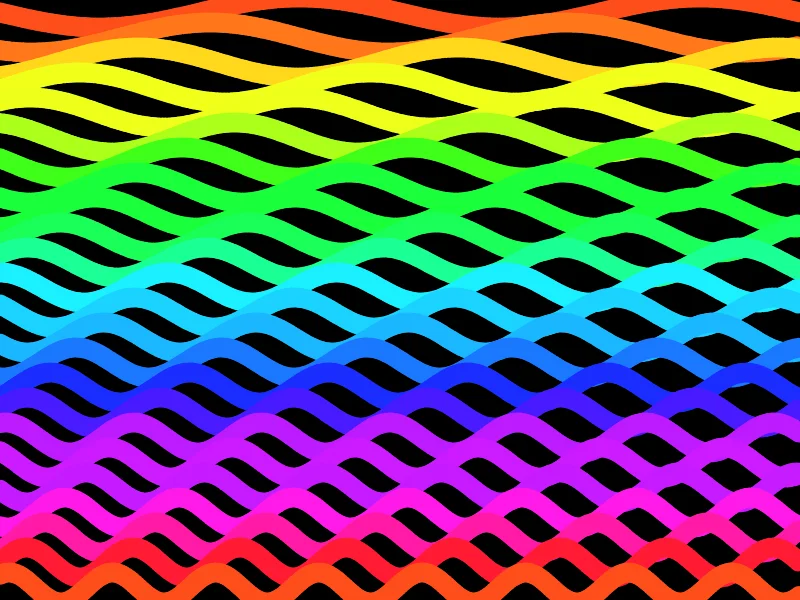
Wave stack

Rows of thick sine waves, each a single line brush, stacked like a bad TV.

The script
background('#000')
const rows = 24
for (let r = 0; r < rows; r++) {
  const y = (r + 0.5) * h / rows
  const brush = new Brush({
    shape: 'ellipse', radius: h / rows * 0.4, density: 3,
    fill: { color: hsl(r * 360 / rows + rng.real(0, 30), 1, 0.55) },
    stroke: null,
  }, seed + r)
  brush.paint(ctx, path.wave({ x: 0, y }, { x: w, y }, h / rows * 0.6, 2 + r * 0.25, brush.spacing(), r))
}
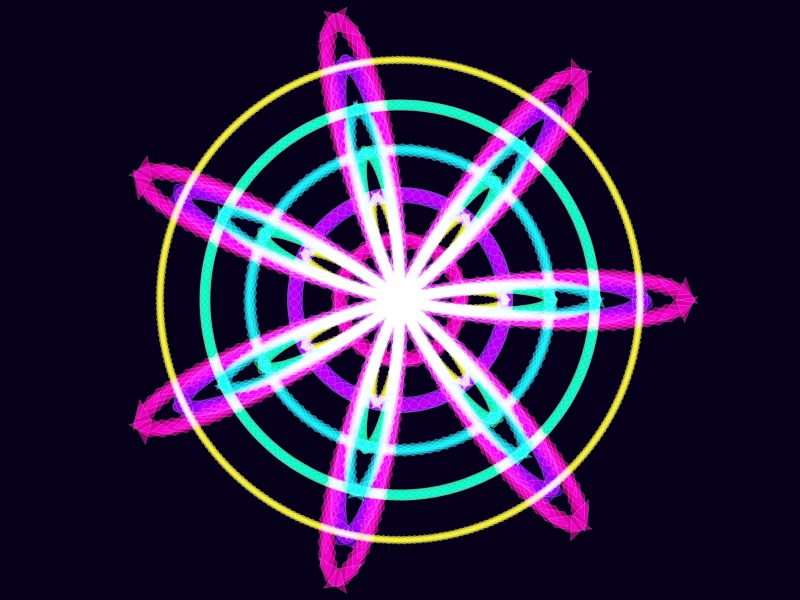
The Mandala example

Mandala

Several rose and ring layers with radial symmetry and screen blending.

The script
background('#06001a')
const pal = palette('electric')
const petals = rng.int(5, 9)
for (let layer = 0; layer < 5; layer++) {
  const brush = new Brush({
    shape: layer % 2 ? 'ellipse' : 'polygon', sides: 4,
    radius: size * (0.075 - layer * 0.01), density: 2,
    eccentricity: { x: 1, y: 0.4 },
    fill: { color: pal[layer % pal.length], alpha: 0.6, blend: 'screen' },
    stroke: { color: '#fff', width: 0.5, alpha: 0.3 },
  }, seed + layer)
  brush.paint(ctx, path.rose(center, size * (0.95 - layer * 0.15), petals, brush.spacing()))
  brush.paint(ctx, path.ring(center, size * (0.2 + layer * 0.15), brush.spacing()))
}
The Scribble example

Scribble

A random walk smoothed into a spline: what a live stroke looks like, painted by the computer.

The script
background('#fdfdfd')
const pts = []
let x = center.x, y = center.y
for (let k = 0; k < 40; k++) {
  pts.push({ x, y })
  x = Math.min(w * 0.95, Math.max(w * 0.05, x + rng.gaussian(0, size * 0.25)))
  y = Math.min(h * 0.95, Math.max(h * 0.05, y + rng.gaussian(0, size * 0.25)))
}
const brush = new Brush({
  shape: 'ellipse', radius: size * 0.04, density: 6,
  eccentricity: { x: 0.3, y: 1 },
  fill: { color: { gradient: palette('rainbow') } },
  stroke: { color: '#000', width: 1, alpha: 0.8 },
}, seed)
brush.paint(ctx, path.spline(pts, brush.spacing()))

Photo designs · six

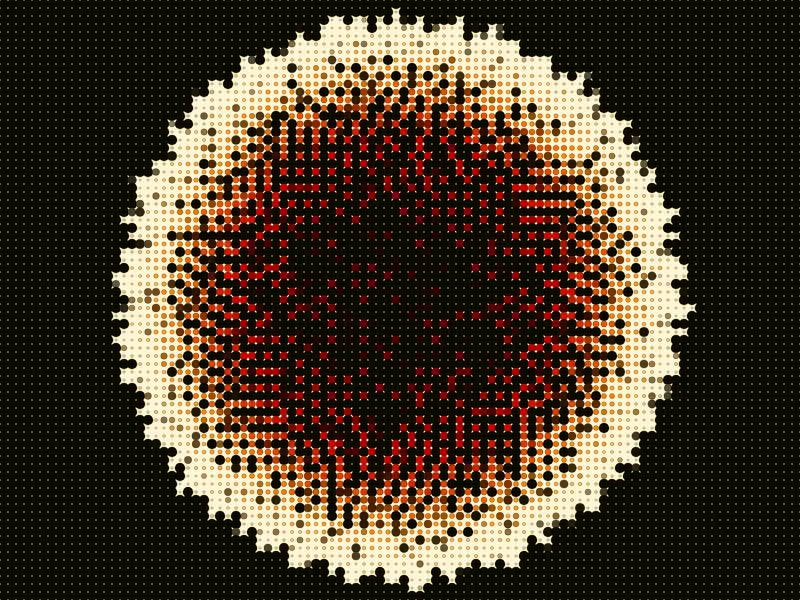
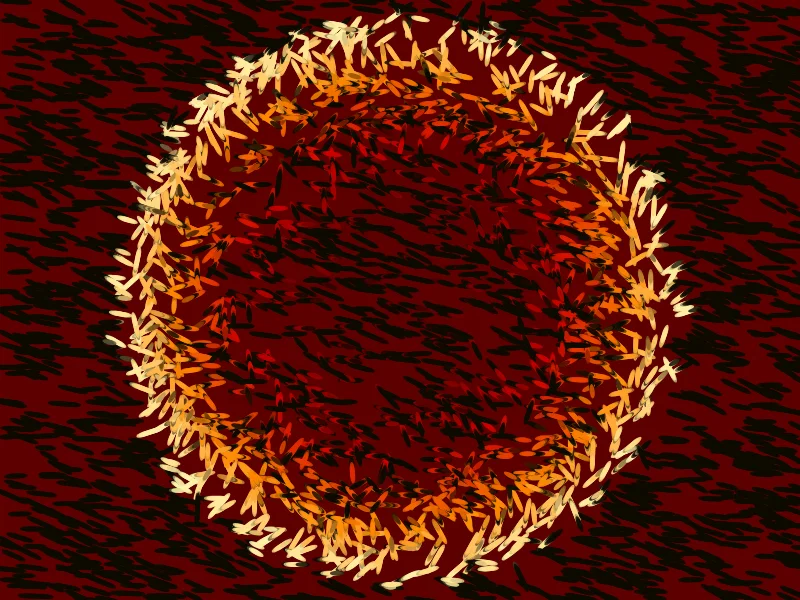
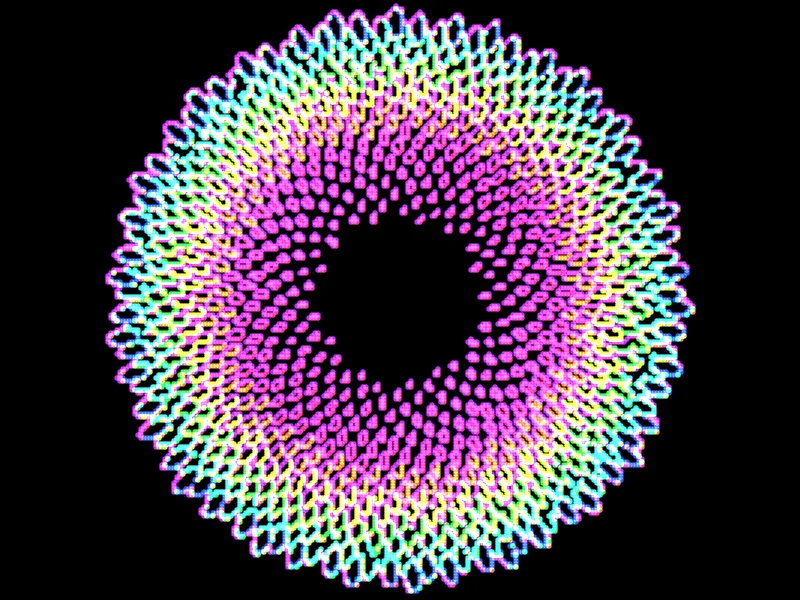
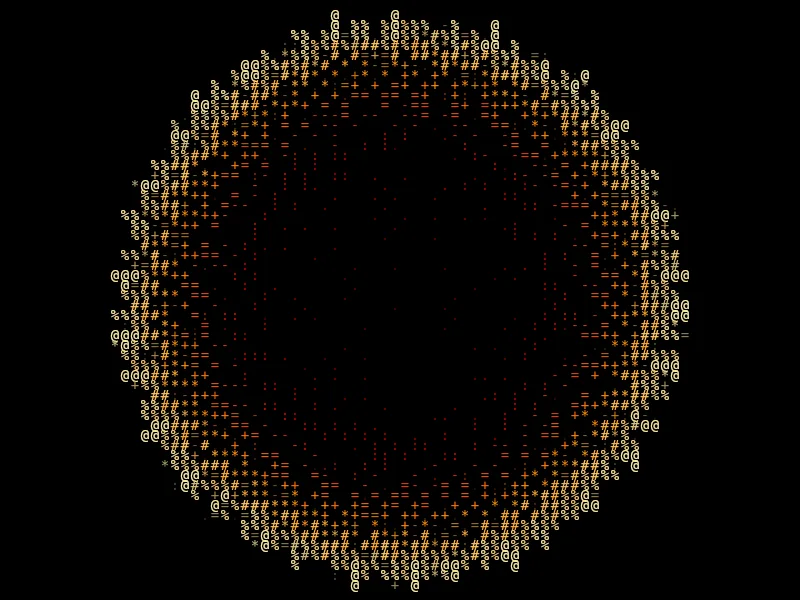
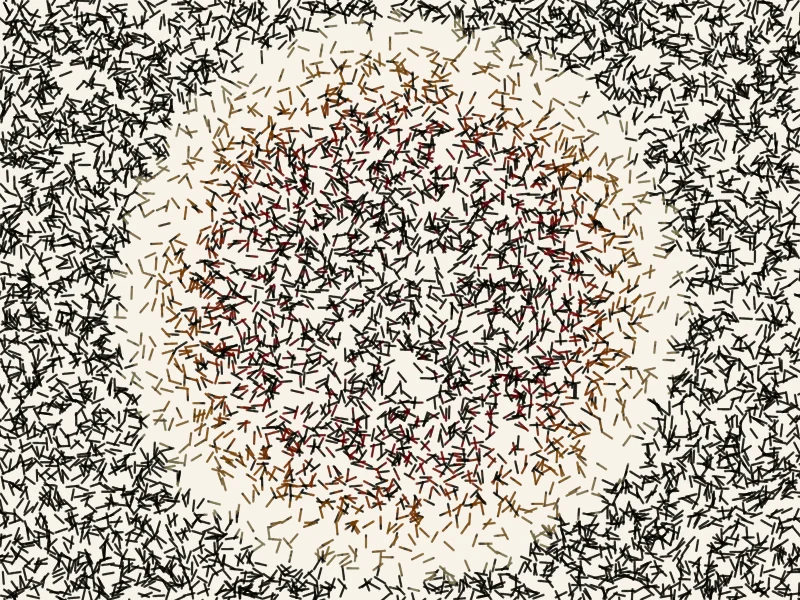
Repaint whatever is on the canvas with brushes. Shown here repainting the Sunflower design; without a picture they use a demo gradient.

The Photo mosaic example

Photo mosaic

Repaint the image as rotated squares, sized by brightness.

The script
// no source image: invent one so the example still paints something
const pick = (x, y) => sample(x, y) ?? gradient(palette('electric'), (x / w + y / h) / 2)
const light = (x, y) => source ? brightness(x, y) : noise(x / 80, y / 80)
background('#000')
const cell = Math.max(6, Math.round(size / 28))
const brush = new Brush({
  shape: 'square', radius: cell * 0.7, density: 1, follow: false,
  angle: { expr: 'noise(x / 90, y / 90) * PI' },
  scale: (c) => 0.35 + 0.9 * light(c.x, c.y),
  fill: { color: (c) => pick(c.x, c.y) },
  stroke: null,
}, seed)
brush.paint(ctx, path.grid(0, 0, w, h, Math.ceil(w / cell), Math.ceil(h / cell)))
The Pop-art dots example

Pop-art dots

Halftone made of brush stamps: one dot per cell, colored from the source.

The script
// no source image: invent one so the example still paints something
const pick = (x, y) => sample(x, y) ?? gradient(palette('electric'), (x / w + y / h) / 2)
const light = (x, y) => source ? brightness(x, y) : noise(x / 80, y / 80)
background('#fff6d5')
const cell = Math.max(5, Math.round(size / 36))
const brush = new Brush({
  shape: 'ellipse', radius: cell * 0.62, density: 1, follow: false,
  scale: (c) => 1.05 - light(c.x, c.y) * 0.9,
  fill: { color: (c) => pick(c.x, c.y) },
  stroke: { color: '#000', width: 0.6, alpha: 0.4 },
}, seed)
brush.paint(ctx, path.grid(0, 0, w, h, Math.ceil(w / cell), Math.ceil(h / cell)))
The Impressionist example

Impressionist

Thousands of short strokes that follow the image, colored from it — a painting of the photo.

The script
// no source image: invent one so the example still paints something
const pick = (x, y) => sample(x, y) ?? gradient(palette('electric'), (x / w + y / h) / 2)
const light = (x, y) => source ? brightness(x, y) : noise(x / 80, y / 80)
background(pick(center.x, center.y))
const brush = new Brush({
  shape: 'ellipse', radius: size * 0.024, density: 3,
  eccentricity: { x: 1, y: 0.35 },
  fill: { color: (c) => pick(c.x, c.y), alpha: 0.85 },
  stroke: null,
}, seed)
for (let k = 0; k < 2600; k++) {
  const x = rng.real(0, w), y = rng.real(0, h)
  const a = light(x, y) * TAU + rng.real(-0.3, 0.3)
  const len = size * rng.real(0.03, 0.08)
  brush.paint(ctx, path.line({ x, y }, { x: x + Math.cos(a) * len, y: y + Math.sin(a) * len }, brush.spacing()))
}
The Neon contours example

Neon contours

Brightness bands traced as glowing rings of dots, hue stepped per band.

The script
// no source image: invent one so the example still paints something
const pick = (x, y) => sample(x, y) ?? gradient(palette('electric'), (x / w + y / h) / 2)
const light = (x, y) => source ? brightness(x, y) : noise(x / 80, y / 80)
background('#000')
const step = Math.max(3, Math.round(size / 90))
const bands = 7
for (let y = 0; y < h; y += step) {
  for (let x = 0; x < w; x += step) {
    const b = Math.floor(light(x, y) * bands)
    const r = Math.floor(light(x + step, y) * bands)
    const d = Math.floor(light(x, y + step) * bands)
    if (b !== r || b !== d) {
      ctx.fillStyle = hsl(b * 360 / bands + 280, 1, 0.6)
      ctx.globalCompositeOperation = 'lighter'
      ctx.beginPath()
      ctx.arc(x, y, step * 0.9, 0, TAU)
      ctx.fill()
    }
  }
}
The Glyph portrait example

Glyph portrait

Characters chosen by brightness — ASCII art with color.

The script
// no source image: invent one so the example still paints something
const pick = (x, y) => sample(x, y) ?? gradient(palette('electric'), (x / w + y / h) / 2)
const light = (x, y) => source ? brightness(x, y) : noise(x / 80, y / 80)
background('#000')
const ramp = ' .:-=+*#%@'
const cell = Math.max(6, Math.round(size / 30))
const brush = new Brush({
  shape: 'glyph', radius: cell * 0.7, density: 1, follow: false,
  font: 'monospace',
  text: (c) => ramp[Math.min(ramp.length - 1, Math.floor(light(c.x, c.y) * ramp.length))],
  fill: { color: (c) => pick(c.x, c.y) },
  stroke: null,
}, seed)
brush.paint(ctx, path.grid(0, 0, w, h, Math.ceil(w / cell), Math.ceil(h / cell)))
The Scribble shading example

Scribble shading

Dark areas get more scribbles: a single pen drawing of the image.

The script
// no source image: invent one so the example still paints something
const pick = (x, y) => sample(x, y) ?? gradient(palette('electric'), (x / w + y / h) / 2)
const light = (x, y) => source ? brightness(x, y) : noise(x / 80, y / 80)
background('#f7f3ea')
const brush = new Brush({
  shape: 'ellipse', radius: Math.max(0.9, size * 0.004), density: 1,
  fill: { color: (c) => mix(pick(c.x, c.y), '#000000', 0.55), alpha: 0.7 },
  stroke: null,
}, seed)
for (let k = 0; k < 9000; k++) {
  const x = rng.real(0, w), y = rng.real(0, h)
  if (rng.next() < light(x, y)) continue
  const a = rng.radians(), len = size * 0.04
  brush.paint(ctx, path.line({ x, y }, { x: x + Math.cos(a) * len, y: y + Math.sin(a) * len }, brush.spacing()))
}

Change a number, paint again

Every example opens in the Code panel. Edit it, press Ctrl+Enter, and it paints onto a new layer.